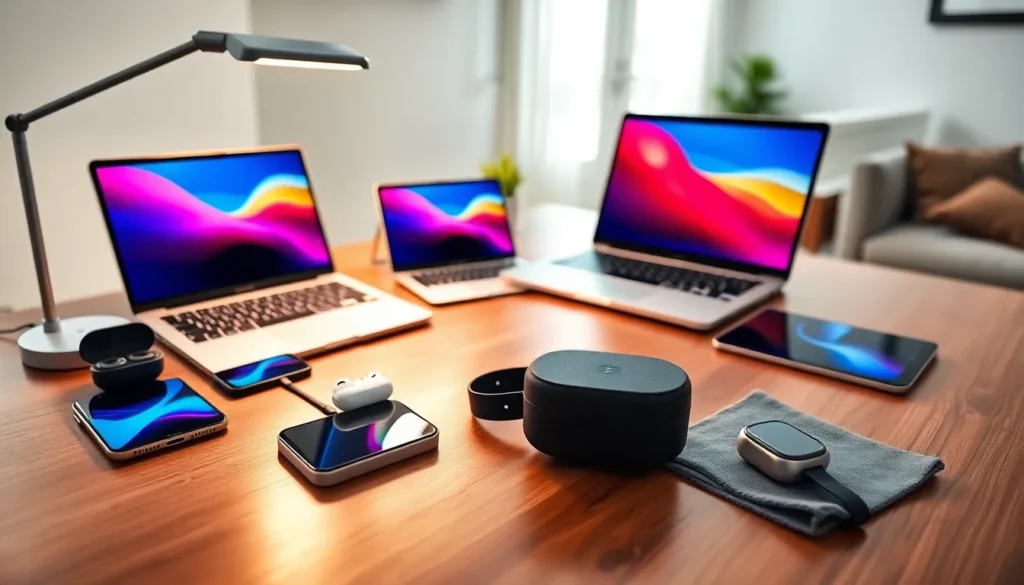
Getting the most out of your devices requires more than just turning them on. Smart gadgets tips can transform how you use your phone, laptop, tablet, and wearables every day. Most people use only a fraction of what their tech can actually do. They miss hidden features, drain batteries faster than necessary, and leave devices vulnerable to security threats.
This guide covers practical gadgets tips that work across all your devices. From extending battery life to protecting your screens, these strategies help you get better performance without spending extra money. Whether you’re a casual user or a tech enthusiast, these tips will change how you interact with your gadgets.
Table of Contents
ToggleKey Takeaways
- Enable automatic software updates on all your gadgets to fix security vulnerabilities and protect against hackers.
- Lower screen brightness, disable background app refresh, and keep batteries between 20-80% to significantly extend battery life.
- Delete unused apps and clear cached data monthly to improve device performance and free up storage space.
- Learn keyboard shortcuts, gesture controls, and voice assistant commands to save time and boost productivity on your gadgets.
- Use tempered glass screen protectors and cases with raised edges to prevent costly physical damage to your devices.
- Review and revoke unnecessary app permissions regularly to enhance both security and gadget performance.
Keep Your Devices Updated and Secure
Software updates do more than add new features. They fix security holes that hackers actively exploit. Every gadget connected to the internet faces potential threats, and outdated software creates easy entry points.
Turn on automatic updates for all your devices. This single gadgets tip prevents most security problems before they start. Smartphones, laptops, tablets, and smart home devices all need regular updates. Check your settings menu and enable auto-update features wherever possible.
Use strong, unique passwords for each account. Password managers like 1Password or Bitwarden generate and store complex passwords so you don’t have to remember them. Two-factor authentication adds another security layer, enable it on every service that offers it.
Public Wi-Fi networks pose serious risks. Hackers can intercept data on unsecured networks. Use a VPN when connecting to coffee shop or airport Wi-Fi. Many affordable VPN services protect your data with one-click activation.
Review app permissions regularly. Many apps request access to your camera, microphone, and location without needing it. Go through your installed apps and revoke unnecessary permissions. Your gadgets will run better with fewer background processes accessing sensitive features.
Optimize Battery Life Across All Gadgets
Battery anxiety affects almost everyone. These gadgets tips help extend battery life without sacrificing functionality.
Screen brightness consumes more power than any other feature. Enable adaptive brightness or manually lower it when indoors. Dark mode saves significant battery on devices with OLED screens, the pixels actually turn off for black areas.
Background app refresh drains batteries constantly. Apps check for updates even when you’re not using them. Disable this feature for apps that don’t need real-time updates. Social media apps are notorious battery drains: limit their background activity.
Location services run continuously on many devices. Switch to “while using” mode instead of “always on” for most apps. Maps need your location. Your weather app probably doesn’t need it every minute.
Extreme temperatures damage batteries permanently. Don’t leave gadgets in hot cars or use them in freezing conditions. Lithium batteries perform best between 20°C and 25°C (68°F to 77°F).
Charging habits matter more than most people realize. Keeping batteries between 20% and 80% extends their lifespan. Avoid letting devices die completely, and don’t leave them plugged in at 100% for extended periods. Many modern gadgets include optimized charging features that learn your schedule and slow charging overnight.
Organize and Declutter Your Digital Space
Digital clutter slows down gadgets and wastes your time. A clean digital space improves both device performance and productivity.
Delete unused apps every month. Each app consumes storage space and potentially runs background processes. If you haven’t opened an app in 90 days, you probably don’t need it. Both iOS and Android show last-used dates in storage settings.
Organize files into clear folder structures. Create consistent naming conventions across all devices. Cloud storage services sync folders between your phone, tablet, and computer automatically. Google Drive, iCloud, and Dropbox all offer free tiers with enough space for most users.
Clear cached data periodically. Browsers and apps store temporary files that accumulate over time. These gadgets tips alone can free up gigabytes of storage. Check your storage settings and clear cache for apps that use the most space.
Unsubscribe from email lists aggressively. A cluttered inbox creates mental overhead and wastes storage. Services like Unroll.me help identify and remove unwanted subscriptions quickly.
Use cloud photos to free local storage. Google Photos, iCloud Photos, and Amazon Photos can store full-resolution images while keeping smaller versions on your device. This gadgets tip can recover significant storage space on phones and tablets.
Master Shortcuts and Hidden Features
Every gadget contains features that manufacturers don’t advertise. Learning these shortcuts saves time daily.
Keyboard shortcuts transform productivity on laptops and tablets. Copy, paste, and undo are just the beginning. Learn system-wide shortcuts for taking screenshots, switching apps, and opening search. Mac users benefit from Spotlight (Cmd+Space). Windows users should master Win+V for clipboard history.
Smartphones include gesture controls that most users never discover. Swipe down with two fingers to access quick settings on Android. Double-tap the back of newer iPhones to trigger custom actions. These gadgets tips turn multi-step processes into instant actions.
Voice assistants handle more than basic questions. Siri, Google Assistant, and Alexa can control smart home devices, set location-based reminders, and automate routines. Create custom voice commands for tasks you repeat frequently.
Accessibility features benefit everyone, not just users with disabilities. Live captions transcribe any audio playing on your device. Text size adjustments reduce eye strain. Color filters help in bright sunlight.
Widget customization puts frequently used information on your home screen. Weather, calendar events, and to-do lists should be visible without opening apps. Both iOS and Android support extensive widget options that surface information instantly.
Protect Your Gadgets From Physical Damage
Software optimization means nothing if your device breaks. Physical protection extends the useful life of every gadget.
Screen protectors prevent scratches and can absorb impact from drops. Tempered glass protectors cost under $15 and install easily. They crack instead of your actual screen, then you replace them cheaply.
Cases remain the simplest form of protection. Choose cases with raised edges that lift the screen and camera lenses off flat surfaces. Military-grade drop protection adds bulk but saves expensive repairs.
Clean gadgets properly with microfiber cloths. Paper towels and tissues can scratch screens. Avoid household cleaners that damage coatings. A damp microfiber cloth handles most cleaning tasks safely.
Store cables properly to prevent internal wire breaks. Wrap them loosely without tight bends near connectors. Magnetic cable organizers keep charging stations tidy and extend cable lifespan.
Consider insurance or extended warranties for expensive gadgets. AppleCare, Samsung Care, and third-party options cover accidental damage. The cost often pays for itself with a single repair. These gadgets tips protect your investment over years of daily use.