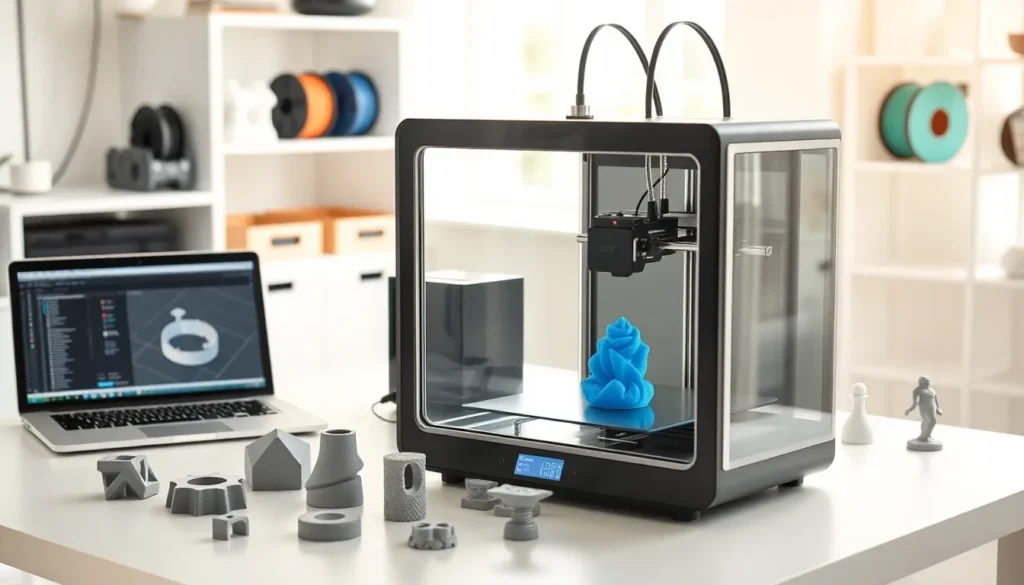
The best 3D printing technology transforms digital designs into physical objects layer by layer. This process has moved from industrial factories into homes, schools, and small businesses. Whether someone wants to create prototypes, custom parts, or artistic pieces, 3D printing offers practical solutions.
This guide covers the core technology, popular printing methods, printer selection, materials, and tips for quality results. Readers will gain the knowledge they need to start their 3D printing journey with confidence.
Table of Contents
ToggleKey Takeaways
- The best 3D printing technology builds objects layer by layer using digital designs, with entry-level printers now available for under $200.
- FDM (Fused Deposition Modeling) is the most beginner-friendly and affordable printing method, while SLA offers superior detail for precision work.
- PLA filament is ideal for beginners due to its low printing temperature, minimal odor, and wide color selection.
- Proper bed leveling and first layer adhesion are critical factors that determine whether a print succeeds or fails.
- New users should start with a proven FDM printer in the $200–$400 range to learn fundamental skills before upgrading.
- Post-processing techniques like sanding, priming, and painting can transform basic prints into professional-quality pieces.
How 3D Printing Technology Works
3D printing builds objects by adding material one layer at a time. This process is also called additive manufacturing. It differs from traditional methods that cut or carve material away from a solid block.
The best 3D printing workflow starts with a digital file. Users create this file using CAD (computer-aided design) software or download pre-made designs from online libraries. The software then slices the 3D model into thin horizontal layers.
A 3D printer reads these instructions and deposits material, usually plastic filament or resin, following the pattern for each layer. The print head moves along X, Y, and Z axes to place material precisely. Each layer bonds to the one below it, gradually forming the complete object.
Print times vary widely. A small keychain might take 30 minutes. A detailed figurine could require 8 hours or more. Factors like layer height, print speed, and object size all affect duration.
Modern 3D printers include heated beds, cooling fans, and sensors that monitor the printing process. These features help prevent common issues like warping, layer separation, and failed prints. The technology has become remarkably accessible, entry-level printers now cost under $200 and produce impressive results.
Top 3D Printing Methods for Different Needs
Several 3D printing methods exist, and each serves different purposes. Understanding these options helps users choose the best 3D printing approach for their specific goals.
FDM (Fused Deposition Modeling)
FDM is the most common method for home and hobbyist use. The printer melts plastic filament and extrudes it through a heated nozzle. It’s affordable, easy to learn, and works well for functional parts, prototypes, and decorative items. Most budget-friendly printers use FDM technology.
SLA (Stereolithography)
SLA uses UV light to cure liquid resin into solid layers. This method produces extremely detailed prints with smooth surfaces. Jewelry designers, miniature painters, and dental professionals often prefer SLA for its precision. The trade-off is messier cleanup and higher material costs.
SLS (Selective Laser Sintering)
SLS fuses powder material using a laser. It creates strong, durable parts without support structures. This method works with nylon, metal, and other industrial materials. SLS printers remain expensive and are primarily used in professional settings.
For most beginners exploring the best 3D printing options, FDM offers the ideal balance of cost, simplicity, and capability. Those needing fine detail for miniatures or jewelry should consider SLA. Industrial users with larger budgets can leverage SLS for production-grade parts.
Choosing the Right 3D Printer for Your Projects
Selecting the best 3D printing equipment depends on project requirements, budget, and experience level. Here’s what to consider.
Build Volume
Build volume determines the maximum size of printable objects. Standard entry-level printers offer around 220 x 220 x 250mm. Users planning large projects need bigger machines. Those printing small items can save money with compact models.
Print Resolution
Layer height affects detail quality. Lower layer heights (0.1mm) produce smoother surfaces but take longer. Higher layer heights (0.3mm) print faster with visible layer lines. Most printers offer adjustable settings to balance speed and quality.
Brand and Community Support
Popular brands like Creality, Prusa, and Anycubic have active user communities. This support proves valuable when troubleshooting problems. Spare parts and upgrades are also easier to find for well-known models.
Budget Considerations
- Under $300: Reliable entry-level FDM printers suitable for beginners
- $300-$800: Mid-range machines with better features and print quality
- $800+: Premium printers and resin machines for professionals
New users should start with a proven FDM printer in the $200-$400 range. These machines teach fundamental skills without overwhelming complexity. As experience grows, upgrading to specialized equipment becomes easier.
Essential Materials and Filaments
The best 3D printing results require the right materials for each application. Filament choice affects strength, flexibility, appearance, and ease of printing.
PLA (Polylactic Acid)
PLA is the most popular filament for beginners. It prints at lower temperatures, produces minimal odor, and doesn’t require a heated enclosure. PLA works well for decorative objects, prototypes, and general-purpose items. It’s biodegradable and comes in countless colors.
ABS (Acrylonitrile Butadiene Styrene)
ABS offers greater heat resistance and durability than PLA. It’s ideal for functional parts that face stress or higher temperatures. But, ABS requires a heated bed and good ventilation due to fumes during printing.
PETG (Polyethylene Terephthalate Glycol)
PETG combines PLA’s ease of use with ABS’s strength. It resists moisture and chemicals better than both. Many users consider PETG the best 3D printing material for practical applications.
Specialty Filaments
- TPU: Flexible and rubber-like for phone cases or gaskets
- Wood-fill: Contains wood particles for a natural aesthetic
- Carbon fiber: Adds stiffness for structural components
Beginners should start with PLA to learn the basics. Once comfortable, they can experiment with PETG and specialty materials. Proper storage in dry conditions keeps filament fresh and prevents moisture-related print failures.
Tips for Achieving High-Quality Prints
Even the best 3D printing equipment produces poor results without proper technique. These tips help users maximize print quality from day one.
Level the Bed Correctly
Proper bed leveling is critical. The nozzle must maintain consistent distance from the print surface across all areas. Too close causes filament to squish or clog. Too far prevents proper adhesion. Check bed level before important prints.
Dial In Temperature Settings
Every filament brand prints best at slightly different temperatures. Start with manufacturer recommendations, then adjust in 5-degree increments. Signs of incorrect temperature include stringing, poor layer adhesion, or rough surfaces.
Use Appropriate Print Speeds
Slower speeds generally produce better quality. Complex models with fine details benefit from reduced speeds (40-50mm/s). Simple shapes can print faster (60-80mm/s). Balance time constraints against quality needs.
Ensure Good First Layer Adhesion
The first layer determines print success. Clean the build plate with isopropyl alcohol. Use adhesion aids like glue stick or painter’s tape if needed. A proper first layer looks uniformly squished without gaps.
Post-Processing Techniques
Sanding removes layer lines from finished prints. Primer and paint transform basic PLA into professional-looking pieces. Heat guns can smooth surfaces on some materials. These finishing touches take the best 3D printing work to an even higher level.